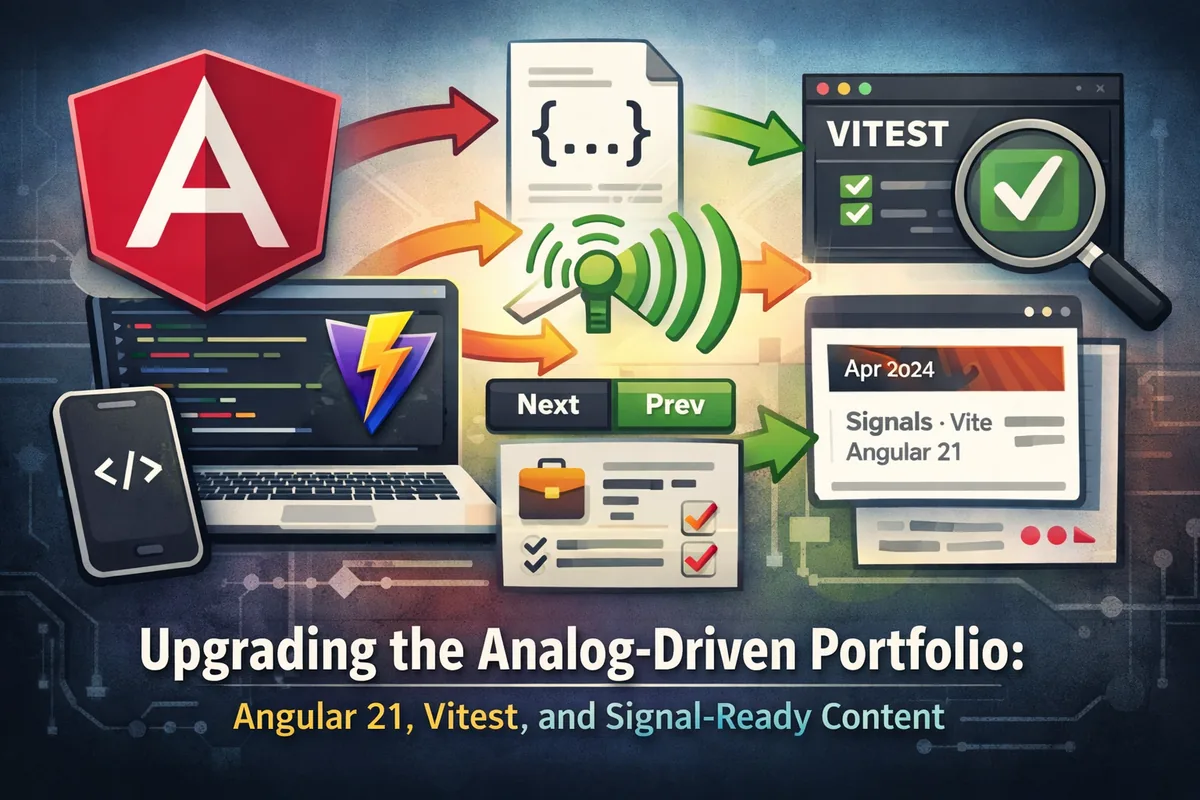
Upgrading the Analog-Driven Portfolio: Angular 21, Vitest, and Signal-Ready Content
The project started as a lovingly hand-crafted Angular 17 site—the portfolio pages were stitched together with injectContentFiles, BehaviorSubjects, and a handful of brittle manual relationships. Getting it onto the latest Analog + Angular stack meant tackling a few interdependent problems:
- Upgrading the Angular tooling (CLI, compiler, router) alongside the Vite/Vitest foundation.
- Migrating every content consumer from the old injectors to
contentFilesResource+ signals so previews, detail pages, and resolvers could react to data the moment it landed. - Building resilient helpers for prev/next navigation and richer metadata so the blog/portfolio detail and index pages no longer trusted manual front matter for relationships.
This post breaks down the major pieces we rebuilt, the code excerpts that drove the behavior, and the operable changes that let the new Angular 21 runtime stay fast and signal-centric.
Step 1: Upgrade the Toolchain to Angular 21 with Vitest
Angular 17 shipped with ng + webpack, but Analog thrives on Vite, so the pivotal move was swapping to @analogjs/vite-plugin-angular, upgrading every Angular package to ^21.2.5, and pairing it with Vitest (^4.1.1). The new stack brings first-class support for standalone components, signals, and analog-specific content resources.
The package.json diff looked like this:
-"@angular/animations": "^17.2.0"
-"@angular/cli": "^17.2.0"
+"@angular/animations": "^21.2.5"
+"@analogjs/router": "^2.3.1"
+"vite": "^6.4.1"
+"vitest": "^4.1.1"
+"zone.js": "~0.15.1"
The upgrade required updating builders (@angular-devkit/architect), the CLI, and tide-turning the test script from ng test to vitest run. Vitest now executes inside the Vite dev server, mirroring the app’s runtime and letting us run tests quickly even while the team continued content work.
Once the dependency tree was stable, we rewired package.json scripts to run Vite for both dev and SSR, and kept vitest run in the test script so CI could execute the same harness the developer uses locally.
Step 2: Switch to contentFilesResource and Signals
The old content pipeline relied on injectContentFiles, which returned arrays once and never updated. The migration introduced contentFilesResource from @analogjs/content/resources, which exposes a value() computed signal we can subscribe to via effect.
Here’s the core of the new ContentService:
@Injectable({ providedIn: "root" })
export class ContentService {
  private readonly postsContentResource = contentFilesResource<BlogPost>((contentFile) => contentFile.filename.includes("src/content/blog/"));
  private readonly postsContentSignal = signal<ContentFile<BlogPost>[]>([]);

  readonly postsContentFn = this.postsContentSignal.asReadonly();

  constructor() {
    effect(() => {
      this.postsContentSignal.set(this.postsContentResource.value() ?? []);
    });
  }
}
Each component now injects ContentService and calls .postsContentFn() to get the latest list reactively. No more manual subscriptions or BehaviorSubjects. That signal-backed data also feeds the new prev/next resolver helpers and the enriched preview metadata we’ll cover next.
Step 3: Automatic Prev/Next Navigation
Rather than scattered previousPost and nextPost front matter fields, we added getBlogNeighbors(slug) and getProjectNeighbors(slug) helpers to watch the ordered signal and compute neighbors on demand. They simply look up the slug index and return the adjacent slugs.
Detail pages now track the route slug with toSignal and ActivatedRoute, then compute navigation during render:
readonly navigation = computed(() => {
  const currentSlug = this.slug();
  return currentSlug
    ? this.contentService.getProjectNeighbors(currentSlug)
    : {};
});
The template binds the buttons to navigation().previous and navigation().next, so the router always points to real neighbor slugs. No more typos or missing front matter.
We also kept the existing position indicator (position X of Y) by scanning projectsContentFn once per change—valuable context for a portfolio viewer.
Step 4: Richer Index Previews With Signal-Aware Metadata
With the content feeds signalified, index pages could finally display metadata derived from the content attributes rather than replicating fields manually. The blog list now renders the formatted publish date (or a “TBD” placeholder) and also prints the slug in a monospace badge.
We imported DatePipe directly into the standalone blog page so the template can use the date pipe inside the newly added preview row.
The portfolio list generates metadata for company, timeframe, and toolset, rendering tool chips per post so visitors immediately see the stack.
These previews now read straight from the signal-driven posts array, and the tooltip text is consistent across the app because every detail and index page references the same ContentService data.
Step 5: Signals Everywhere, OnPush, and Content Effects
Angular 21 encourages signals, and we embraced that by keeping ChangeDetectionStrategy.OnPush on the portfolio list and wiring reactive helpers via computed + signals. Filtering logic lives inside computed, a signal tracks the selected tool, and effect builds the list of available tools once the content signal updates.
Every detail component uses injectContent for the slug-specific markdown (image + body), but we now augment their templates with navigation buttons that rely solely on ContentService neighbors. The posts() and projects() signals ensure any change—such as adding a new blog post or updating metadata—ripples through both the detail and list experiences.
Visual Recap and Next Moves
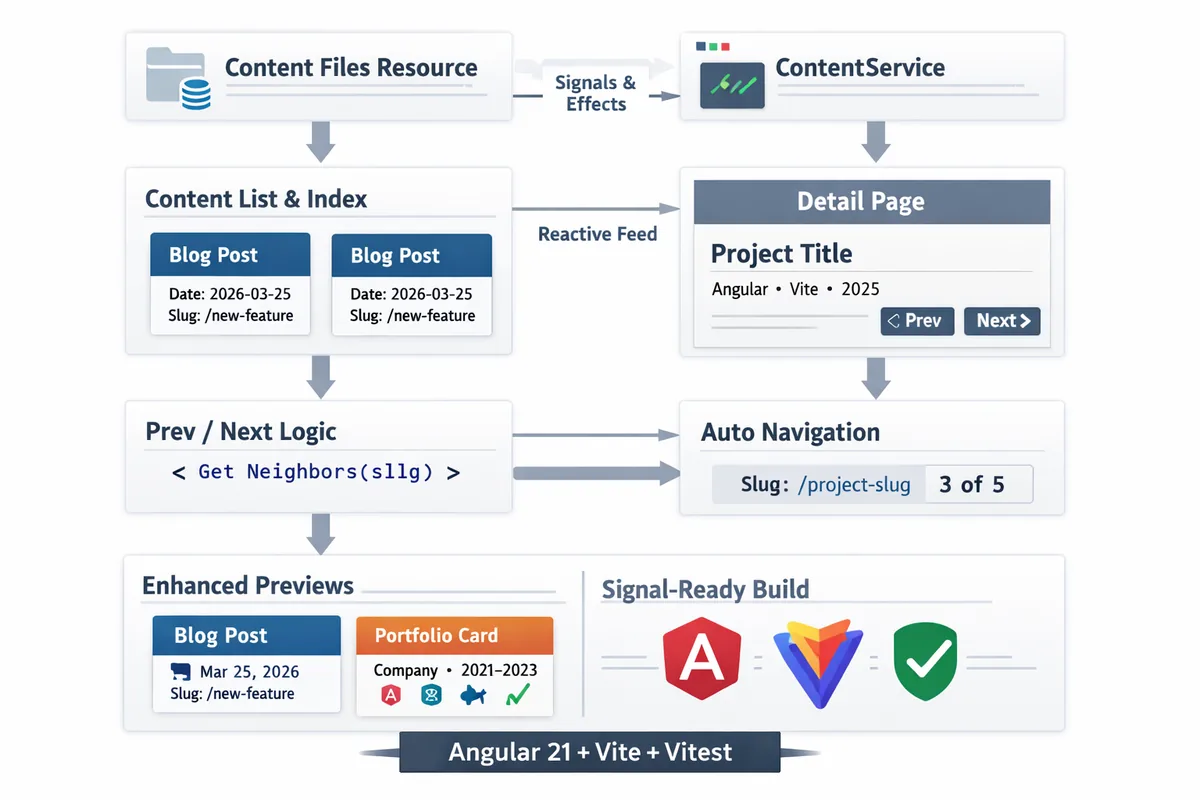
This diagram shows how the new content resource feeds signals, how detail pages subscribe to neighbors, and how index previews derive metadata from the same source of truth.
Highlights
- Toolchain: Angular 21 + Vitest + Vite; no more
ng serveorng testmismatches. - Content: Signals drive every list, detail, and resolver;
injectContentFilesstill appears briefly in resolver helpers, but everything rendering to the client runs oncontentFilesResourcenow. - Navigation: Prev/next is computed once per slug, guaranteeing buttons only appear when a real neighbor exists.
- Previews: Blog cards show formatted dates and slug badges; portfolio cards show company/timeframe info plus tool chips.
What’s next?
We plan to finish Phase 4.C by polishing the remaining index layout (responsive spacing, animations) and documenting the migration in the README so future posts follow the same signal-first pattern.
If you’ve gone through a similar upgrade, feel free to copy the ContentService helpers and the metadata-rich cards—they’re the hardest part to get right, but they pay dividends in predictability and reliability.